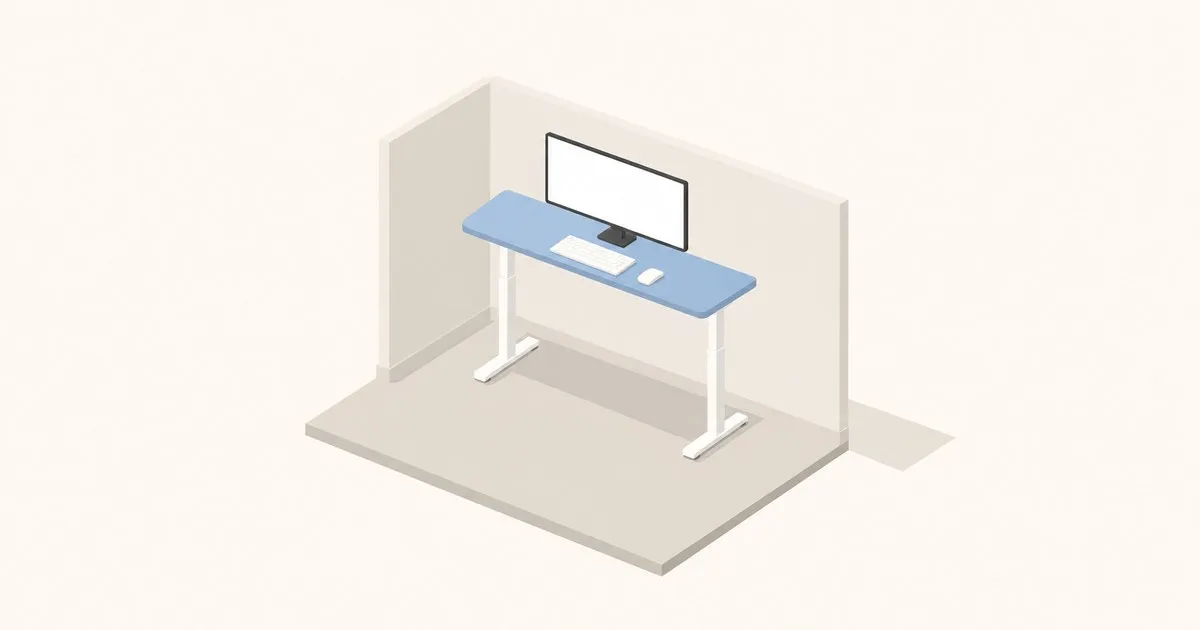
Almost every guide to the best standing desk for small spaces sorts by width, which is the wrong axis. Width is the number that decides whether the desk fits the wall. Depth is the number that decides whether the desk is usable once it is against that wall, because depth sets how far your eyes can get from the screen. OSHA’s computer workstation guidance puts the preferred viewing distance at 20 to 40 inches (50 to 100 cm) from the eye to the front of the screen, and a 24-inch (61 cm) deep top does not automatically give you 20 of them.
The constraint nobody lists: depth minus the monitor stand
Run the arithmetic on a 24-inch top. Your total budget is 24 inches. A monitor sitting on its factory stand parks the panel some distance forward of the back edge, because the stand base needs that setback to stay upright. Your head then sits some distance in front of the desk edge. Whatever is left is your actual eye-to-screen distance, and on a shallow desk it lands under OSHA’s 20-inch floor more often than not. The failure mode is not a stiff back. It is squinting, then leaning in, then losing the backrest.
A VESA 75/100 monitor arm clamped to the rear edge is the fix, and in a small room it is a higher-value purchase than upgrading the desk itself. The arm pushes the panel behind the back edge, gives you the full 24 inches plus a few more, and clears the surface underneath. Between a $1,200 desk with a factory stand and a $600 desk with a good arm, the second setup measures better.
The second small-space trap is minimum height, not maximum. Compact desks are often built on shorter columns, and a desk that bottoms out too high forces a shorter user to raise the chair until their feet dangle. CCOHS puts the working surface at roughly standing elbow height with elbows bent near 90 degrees, and the same elbow rule governs the seated end. Check the low number against your seated elbow height before you check the high one. Our elbow-height section in the buyer’s guide has the measurement procedure.
Specs that matter
| Option | Smallest size (W x D) | Height range | Capacity | Warranty |
|---|---|---|---|---|
| UPLIFT V3 | 42 x 24 in (107 x 61 cm) | 22.6–48.7 in (57–124 cm) | 355 lb | 15 yr |
| Branch Duo | 36 x 24 in (91 x 61 cm) | Not published | Not published | Not published |
| FlexiSpot Comhar EG8/EW8 | 47.3 x 23.7 in (120 x 60 cm) | 28.3–47.6 in (72–121 cm) | 110 lb | 15 yr frame, 2–5 yr top |
| Vari Essential Electric | 48 x 24 in (122 x 61 cm) | 27.5–47.2 in (70–120 cm) | 150 lb | 3 yr |
| Ergotron WorkFit-Z Mini (converter) | 31 x 15.8 in (79 x 40 cm) surface | 12.5 in (32 cm) of lift | 25 lb | 10 yr |
| Humanscale QuickStand Eco (converter) | 28 x 19 in (71 x 48 cm) surface | 18.6 in (47 cm) | 35 lb | 5 yr |
| VariDesk Pro Plus 30 (converter) | 30 x 29.75 in (76 x 76 cm) surface | 11 fixed settings | 35 lb | Lifetime |
Read that last row twice. The VariDesk Pro Plus 30 is sold on its 30-inch width, but its work surface is 29.75 inches deep, deeper than every full desk above it. Narrow and deep is not a small-space product, it is a narrow-wall product. The WorkFit-Z Mini at 15.8 inches is the genuinely shallow one.
The height ranges separate cleanly. UPLIFT’s V3 frame spans 22.6 to 48.7 inches and the company states this meets the ANSI/BIFMA G1-2013 ergonomic height standard for 5th to 95th percentile users, with 355 lb of lift capacity and a 15-year warranty. That is the widest usable range on the list and the reason the 42 x 24 configuration is the default answer for a small room where one desk has to fit several body sizes.
The FlexiSpot Comhar is the opposite trade. It is an all-in-one at 47.3 x 23.7 inches with a built-in drawer, USB charging and four presets, a single 2-stage motor at 1 inch per second under 50 dB, and 15 years on the frame and electronics. But it bottoms out at 28.3 inches and caps at 110 lb. That high floor is a real exclusion for shorter sitters, and 110 lb disappears faster than you would think once an arm, a dual-monitor setup and a laptop dock are on it.
Vari’s Essential Electric 48x24 is the shallow-and-simple option: 27.5 to 47.2 inches, 150 lb, four presets, 35 inches of clear space between the T-style legs, tested to BIFMA standards. The catch is the warranty. Three years against UPLIFT’s and FlexiSpot’s fifteen is the clearest example on this page of a spec that is not about ergonomics at all, and it is the spec most buyers skip.
Branch lists the Duo in a 36 x 24 inch configuration at $549, the narrowest mainstream electric desk here. It does not publish height range or capacity on the collection page, so pull those from the product sheet before ordering rather than trusting a roundup.
What fails first, and what actually helps the pain
On electric frames the motors and controller are what the long warranties cover, and they are not usually what goes first. Laminate edges chip, cable trays sag, and cheaper columns develop lateral play at full extension. That play matters more in a small room, because a compact desk pushed against a wall gets braced by it and can feel solid when it is not. Test at standing height, loaded. Our repeatable stability method covers how.
Converters trade differently. The Ergotron and Humanscale units use counterbalance and spring mechanisms rather than motors, which removes the electronics failure mode entirely, and both carry long warranties (10 years and 5 years respectively). What they cost you is capacity: 25 lb and 35 lb are laptop-and-one-monitor numbers, not workstation numbers.
One honest caveat. If you are buying a desk because your back or neck already hurts, the desk is one variable among several, and posture equipment does not diagnose anything. CCOHS notes that prolonged standing carries its own foot, knee, hip and back risks, so the goal is alternating positions rather than swapping one static posture for another. See a clinician for a diagnosis before you spend $1,500 trying to fix it with furniture.
If you want one recommendation: the UPLIFT V3 at 42 x 24 with a VESA monitor arm (Amazon Associates) is the setup that survives a move, a housemate, and a change in body size. If the room cannot take a full desk at all, the WorkFit-Z Mini is the only converter here shallow enough to genuinely be a small-space answer.
Related across the network
- Best Standing Desks Under $1,000: The Sweet-Spot Price Tier — ergoranker.com
- Best Standing Desks Under $500: Budget Picks That Deliver — ergoranker.com
- Standing Desk and Chair Bundles for Three Budgets — ergoranker.com


