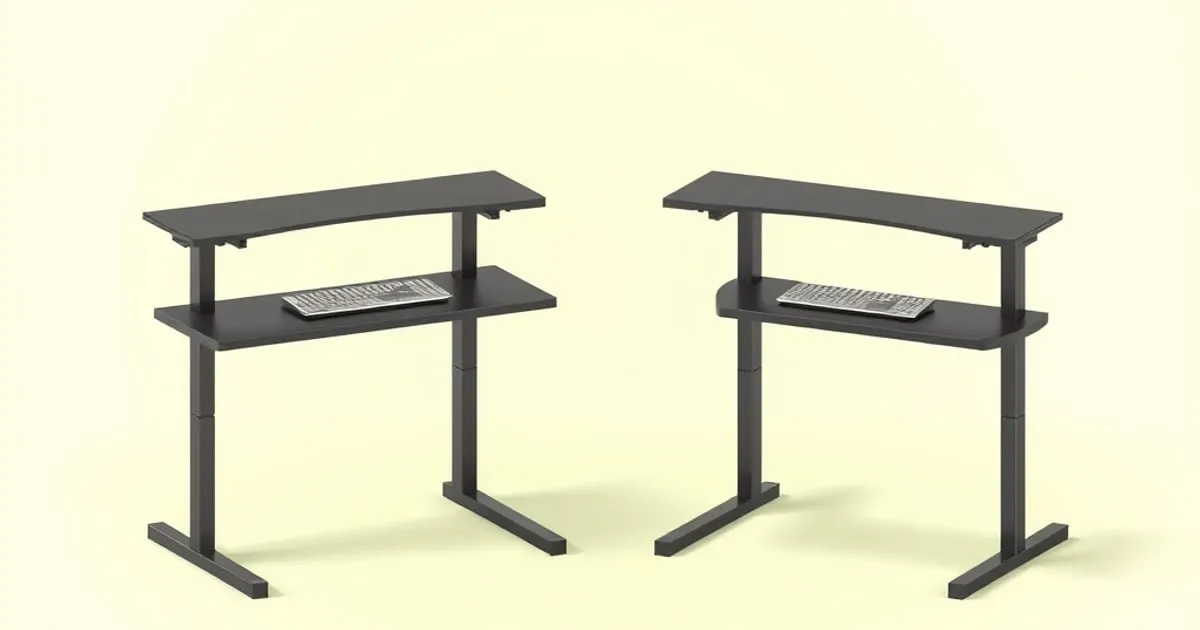
“Dual motor” is the spec most standing-desk marketing leads with, and it’s genuinely meaningful — but it’s not the simple “more motors, better desk” story the listings imply. A quality single-motor frame can outperform a cheap dual-motor one, and above a certain price the question answers itself. This is a buyer’s framework for the single-versus-dual decision: what actually differs, where the difference matters, and where it doesn’t.
How Each Architecture Works
- Single-motor: one motor drives both legs, synchronized through a mechanical cross-shaft (a hex rod) running between them. The shaft keeps the legs level.
- Dual-motor: each leg has its own motor, kept in sync electronically by the controller. No mechanical sync shaft is doing the leveling.
That structural difference drives everything below.
Transit Speed
Dual-motor frames generally raise and lower faster than single-motor ones. Quality dual-motor desks commonly move in the region of ~1.2–1.6 inches per second (roughly 30–40 mm/s), while single-motor frames are typically slower, often under an inch per second. Confirm the exact figure on the manufacturer’s spec sheet, since it varies by model and by load.
Whether speed matters depends on you: if you sit-stand several times a day, a slow desk’s transitions get annoying; if you change height once or twice a day, the difference is trivial.
Behavior Under Load
Both architectures should handle a normal desktop load (monitors, arm, laptop, accessories) without complaint. The differences show up toward the heavier end:
- Dual-motor frames generally distribute load better across the two legs and tend to hold speed more consistently as weight rises.
- Cheap desks of either type slow down noticeably as they approach their rated capacity — a large speed drop-off as you add weight is a warning sign about the motor’s real-world headroom.
- Weight capacity is the load limit defined by the manufacturer, not a stability rating. Compare frame movement separately rather than using capacity as a stiffness score. See our stability test guide.
Noise
Single-motor frames are often louder, partly because of the mechanical sync shaft. Dual-motor frames are generally quieter and smoother in normal use. If your desk shares a room with a microphone, sleeping family, or thin walls, noise is a real consideration — though “quiet” varies by model, so read owner reports.
Reliability and Repair
This is where the simple narrative breaks down:
- A high-quality single motor can be more consistent and durable than a low-quality dual setup. Quality of the motor and controller matters more than the count. A well-made single-motor frame with a good motor is a perfectly reliable desk.
- Failure modes differ. Single-motor frames more often have the sync shaft bind or wear; dual-motor frames depend on the controller keeping the two motors electronically synced — and when that sync is lost the top sits visibly tilted until the frame is recalibrated. The fix is the reset sequence in standing desk won’t go up.
- Aesthetics: dual-motor designs typically tuck the mechanics inside the legs for a cleaner look with no external shaft; single-motor frames show the external hex-rod system, which some find easier to think about for repair.
So Which Should You Buy?
Our standing position, consistent with our buyer’s guide:
- Under ~$250: a single-motor frame is acceptable if you understand the trade-offs — slower, often louder, fine for light, infrequent height changes. The budget FlexiSpot EC1 tier lives here, as does the frame-only VIVO DESK-V102E (Amazon Associates) for anyone pairing a budget frame with a top they source separately. If you would rather skip motors entirely, electric vs manual standing desk covers crank frames.
- Above ~$300: we don’t recommend single-motor, because dual-motor options have caught up in price and you give up speed, quietness, and load behavior for no real savings. The FlexiSpot E7 is the value dual-motor pick; Uplift V2 and Fully Jarvis (sold through Herman Miller) at the premium tier.
- Tall users / heavy dual-monitor loads: lean dual-motor, and prioritize stability-at-height over the motor count itself — see our premium comparison.
What Not to Optimize On
Don’t choose a desk on motor count alone, and don’t treat “dual motor” as a guarantee of quality — a cheap dual-motor frame can be wobbly and slow-under-load. Conversely, don’t dismiss every single-motor desk; a good one is a legitimate budget choice. The decision-relevant factors are real-world speed, noise, load behavior, and — above all — stability at your standing height, not the number printed on the box.
Quick Reference
| Single-motor | Dual-motor | |
|---|---|---|
| Transit speed | Slower (often <1”/s) | Faster (~1.2–1.6”/s typical) |
| Noise | Often louder | Generally quieter |
| Load consistency | Adequate; quality-dependent | Generally better |
| Sync method | Mechanical shaft | Electronic controller |
| Price tier | Budget | Mid to premium |
| Our call | OK under ~$250 | The pick above ~$300 |
Related reading
- New here? Start with the standing desk buyer’s guide for the full decision tree.
- Uplift V2 vs Fully Jarvis: two premium frames compared.
- FlexiSpot E7 review — the value dual-motor option, assessed honestly.
- Standing desk stability test guide — the spec that matters more than motor count.
- Standing desk won’t go up — column desync, thermal cutout, and the reset that clears both.


