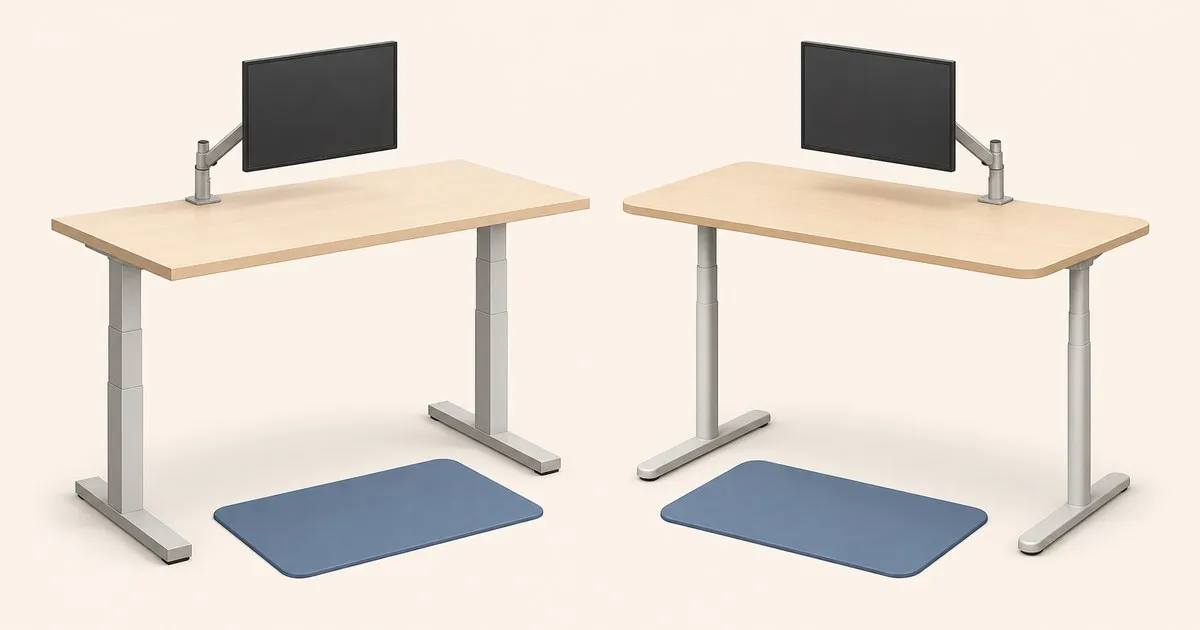
Uplift V2 vs Fully Jarvis is a comparison of specific frame configurations, not just two brand names. Start with the minimum and maximum working heights of the actual desk, then compare desktop construction, controls, assembly requirements, and the warranty attached to that purchase.
This comparison uses manufacturer documentation. It does not assign a measured wobble or motor-noise winner. If you are comparing a current UPLIFT listing with a used V2, identify the generation before carrying over any numbers: a successor’s specification is not automatically a V2 specification.
Specs that matter
The examples below show why configuration names matter. They are documented configurations, not a promise that every desktop and frame combination shares these dimensions.
| Configuration | Documented height range | Listed lift capacity | What to check |
|---|---|---|---|
| UPLIFT V2, two legs, 1-inch top in the cited comparison chart | 25.3–50.9 inches | 355 lb | Exact frame generation and top thickness |
| UPLIFT V2-Commercial, 1-inch top in the same chart | 22.6–48.7 inches | 355 lb | Lower crossbar and seated leg clearance |
| Jarvis Bamboo Contour, three-stage | 25.5–51 inches | 350 lb | Selected desktop size and frame option |
| Jarvis Bamboo Contour, three-stage low | 23–43.25 inches | 350 lb | Lower minimum comes with a lower maximum |
Sources: UPLIFT’s archived comparison chart and the Jarvis Bamboo Contour specification. These are deliberately named examples; use the listing and manual for the desk in front of you if they differ.
A capacity difference of five pounds is not a useful stability ranking. Before comparing spare capacity, confirm what each manufacturer includes in the rated load. The standing desk buyer’s guide explains that distinction.
Height range: choose the frame that fits both positions
Record your actual keyboard height while seated and standing. Include your normal footwear, keyboard thickness, and any tray below the desktop. Then compare the resulting desktop settings against the exact frame configuration.
The table illustrates two different low-height trade-offs. The V2-Commercial has a lower minimum and maximum than the standard V2 example. The low Jarvis also sacrifices maximum height. Do not combine the low model’s minimum with the standard three-stage model’s maximum to invent a range no single frame provides.
For a shared desk, repeat the comparison for each user. A model that accommodates the taller person’s standing position can still leave the shorter person’s seated keyboard too high. The tall-user desk guide gives additional questions to ask about maximum extension.
Stability and monitor movement
Separate desktop sway from monitor-arm movement. A monitor can shake while the desktop remains comparatively still, and changing arm reach can alter what you see without changing the frame.
Compare desks at the working height you plan to use, on a similar floor and with comparable equipment. Record the desktop width, depth, and load arrangement. An empty floor model and a loaded home desk are not directly comparable.
The standing desk stability test guide gives a repeatable observation method. It does not turn a hand push into a certified stiffness measurement. Without comparable measurements, neither motor count nor a warranty length establishes a wobble winner.
The same restraint applies to noise. A sound figure without microphone distance, load, room conditions, and measurement method cannot support a close comparison. If quiet operation is essential, ask for like-for-like evidence or use a return policy that lets you assess the desk in its intended room.
Controls, cable routing, and daily use
Read the instructions for the supplied keypad. UPLIFT publishes separate programming instructions for its keypad types, including anti-collision settings and height-display calibration. Those instructions should not be applied to a Jarvis handset.
Store useful positions using the memory preset guide. Keep the travel path clear each time: the fact that a controller can stop on resistance does not make unattended movement appropriate.
Plan the accessory layout before attaching hardware. A crossbar, cable tray, and keyboard-tray rail can compete for the same underside space. The standing desk accessories worth adding guide covers clamp clearance, cable slack, and load accounting.
Desktop finish and assembly
A bamboo top is an aesthetic and construction choice, not proof of better frame performance. Compare the actual finish, dimensions, thickness, and care instructions. The desktop materials comparison explains why surface material and internal construction need separate attention.
For a used desk, inspect the mounting holes and ask whether the original fasteners are included. Request the frame model, handset type, and assembly manual before arranging a replacement top.
Avoid relying on generic assembly-time claims. Unpacking, carrying the desktop, routing accessories, and getting help to turn the desk upright are separate tasks from bolting the frame together. Read the assembly sequence for the chosen kit and plan the space and assistance it requires.
Where Vari fits
Vari belongs in this comparison when assembly convenience matters. Its current Electric Standing Desk with ComfortEdge 60x30 lists a pre-installed frame with slide-and-lock legs, a 25–50.5-inch range, and a lifetime warranty. Check how much assembly it leaves to you.
Those specifications belong to the named ComfortEdge model. They should not be relabeled as specifications for every older desk advertised as “Vari Electric Pro.” If a listing uses that name, obtain its model number and corresponding manual.
Do not assume Vari has the shortest warranty or the weakest frame. Compare the warranty for the exact purchase, and assess stability under comparable conditions.
Choose a Vari package for its documented assembly arrangement or desktop features when those solve a particular need. Before ordering, check that the edge profile and underside hardware accept the monitor clamp and accessories you intend to use. A convenient kit is less useful if it prevents your planned attachment layout.
Warranty and ownership
Read UPLIFT’s warranty alongside the terms linked from the selected Jarvis listing. Record coverage for the frame, motors, electronics, top, and accessories separately. Check purchaser eligibility, proof-of-purchase requirements, and any limits on transfers.
For a used V2 or Jarvis, ask the manufacturer about replacement handset and control-box compatibility. A low purchase price does not settle the ownership cost if a required part cannot be supplied.
Compare delivered totals only after matching the desktop size, frame variant, keypad, and included accessories. Headline starting prices can describe different packages, so this page avoids a live price ranking.
Which should you choose?
Choose the specific V2 or Jarvis configuration whose range covers your measurements and whose assembly, desktop, and support terms fit your requirements. Put Vari alongside them when its documented setup convenience matters.
For a separate single-product assessment, read the FlexiSpot E7 review. For ongoing ownership, keep the reset and error-code guide and use the sit-stand routine guide to plan comfortable changes of position.


