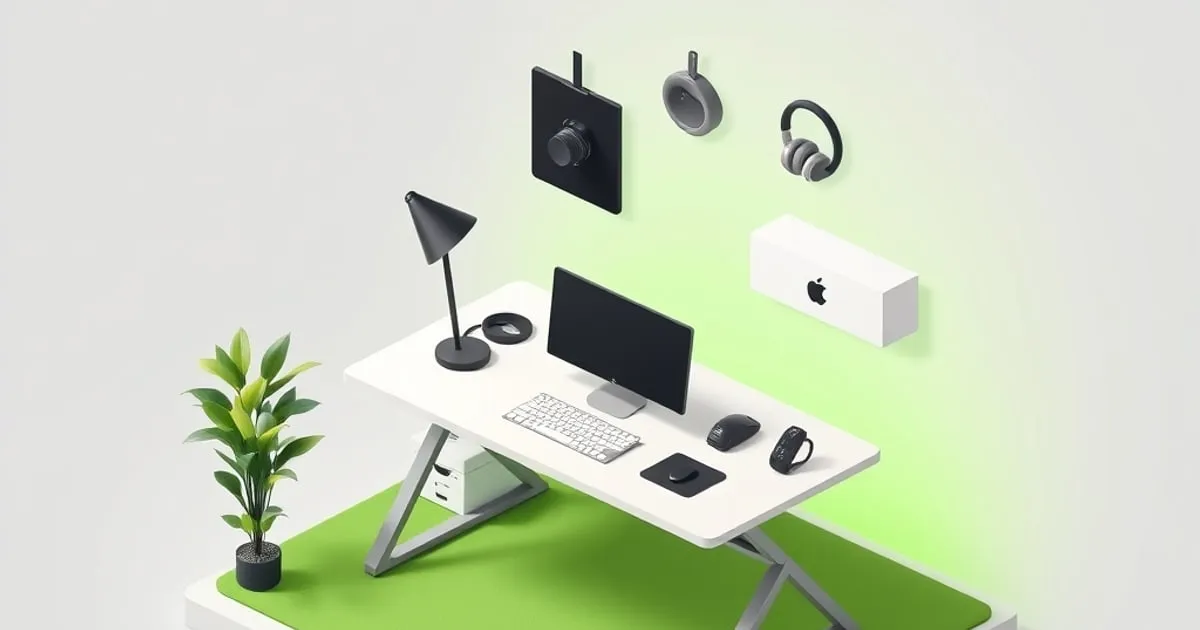
The standing desk accessories worth buying are the ones that solve a specific fit, clearance, or cable problem. Start with your existing desk and equipment: an attachment that cannot clamp securely, blocks your knees, or catches a cable during a height change is the wrong accessory regardless of its reviews.
This guide assesses accessory categories from official ergonomics guidance and manufacturer specifications. The five priorities below are conditional recommendations, followed by a situational keyboard tray, four purchases to postpone and two optional additions. Prices vary, so compare fit before comparing offers.
If you are buying any of this for existing back, neck or wrist pain, see a clinician for a diagnosis first. An accessory can fix a setup problem; it can’t tell you whether the setup caused the pain.
The verdict table
| Accessory | Buy when | Specification to check first |
|---|---|---|
| Anti-fatigue mat | The standing surface feels uncomfortable and a mat suits the work area | Footprint, edge profile, slip resistance |
| Monitor arm | The supplied stand cannot give you useful screen positioning | Display weight without stand, VESA pattern, clamp fit |
| Cable management tray | Power adapters or moving cables need a supported route | Internal dimensions, load limit, mounting clearance |
| Footrest | You need seated foot support or a way to vary standing posture | Support height, stable base, available leg space |
| Headphone hook | Headphones and their cable occupy space you need | Clamp opening, load limit, knee clearance |
| Keyboard tray | The desktop cannot put the keys at elbow height, or you want negative tilt | Track length, tilt range, thigh and crossbar clearance |
| Balance board | Postpone until you know it suits the task | Stability and a clear floor area |
| Desk bike | Postpone until you have measured the working envelope | Knee clearance through the pedal cycle |
| Premium desk pad | Buy for surface preference, not a promised posture fix | Size, thickness, surface and base material |
| Bolt-on drawer | Add only for a defined storage need | Loaded weight, slide travel, underside clearance |
| Monitor light bar | Existing lighting leaves a problem it can address | Monitor shape, mount fit, power requirement |
| In-desk charger | A removable charger cannot meet your layout needs | Device compatibility, cutout size, installation limits |
The measurable target for each accessory
Five accessories map to a target you can measure: the mat to standing-surface comfort, the monitor arm to screen height and distance, the keyboard tray to elbow height and wrist angle, the footrest to foot support, and cable management to the desk’s full travel. The table lists each target and where it comes from.
| Accessory | What it fixes | Target | Where the target comes from |
|---|---|---|---|
| Anti-fatigue mat | Hard floor during standing bouts | Some give, but not so soft that standing feels uncomfortable; beveled edges | CCOHS |
| Monitor arm or riser | Screen too low, too close or too far | Top line at or below eye level; 20 to 40 in (50 to 100 cm) away | OSHA |
| Keyboard tray | Desktop can’t put keys at elbow height, or you want negative tilt | Elbows bent 90 to 120 degrees, wrists straight; tray tilt 0 to -15 degrees | OSHA, Humanscale |
| Footrest | Feet unsupported when seated; static standing | Feet fully supported; one foot raised while standing | OSHA |
| Cable management | Cords pulled taut or snagged during travel | Slack across the frame’s full height travel | Your desk manual |
Everything else on the list changes preference or activity rather than a number OSHA or a manufacturer can state.
Five accessories to consider first
1. Anti-fatigue mat
CCOHS’s anti-fatigue mat guidance treats mat selection as part of a broader setup that includes footwear, flooring, and work design. A mat does not make unlimited standing comfortable or remove the need to change position.
The mat has the best evidence of any accessory, and that evidence is narrower than the marketing. In a 2022 Ergonomics study, 27 healthy adults did three 2-hour sessions of standing computer work on concrete, a foam mat and an inflatable mat. Both mats reduced lower-body discomfort and improved typing performance compared with concrete, and the inflatable mat reduced most lower-limb discomfort further. Discomfort still rose the longer people stood.
A 2022 Applied Ergonomics study of 16 volunteers found a mat cut low-back discomfort during 60 minutes of standing work only in people prone to standing-induced back pain. An older comparison of mats and shoe insoles over 8-hour shifts found both beat a hard floor, with no significant difference between them, and shorter workers reported more upper-leg and low-back discomfort on both.
That last result matters when you shop. CCOHS warns that softer and thicker is not always better, wants sloped edges to limit trips, and treats footwear with real arch and heel support as part of the same fix. On carpet in good shoes, a mat may add little. On tile, concrete or hardwood in socks, it is the first accessory to buy. Place it so the chair rolls off it when you sit.
Specification block
| Check | Record before ordering |
|---|---|
| Footprint | Width and depth of the standing area, plus where the mat goes while seated |
| Thickness and firmness | Manufacturer’s listed construction; avoid choosing by thickness alone |
| Edge profile | A beveled edge and a placement that leaves walking routes clear |
| Base | Suitability for the actual floor and resistance to slipping |
| Care | Cleaning method compatible with the material |
Use tape on the floor to mark the intended footprint before buying. Check whether the chair can move into position without catching the mat edge, and whether a door needs that same space. A large mat is not useful if moving it becomes an obstacle to switching back to sitting.
The Topo Comfort Mat is one existing option linked on this site: view it on Amazon (Amazon Associates). Compare its listed dimensions with the space you measured rather than assuming a contoured mat suits everyone.
2. Monitor arm
A monitor arm is useful when the supplied stand cannot place the screen where you need it. OSHA’s monitor guidance recommends considering viewing distance, screen height, and glare together: the top line of the screen at or below eye level, the center roughly 15 to 20 degrees below horizontal eye level, and the screen 20 to 40 inches (50 to 100 cm) from your eyes, tilted back 10 to 20 degrees. An arm does not guarantee a particular viewing distance on every desktop.
If the desktop tracks your elbow height in both postures, a screen that was right seated is usually close to right standing. The trouble is that many bundled stands can’t lift a screen high enough, and a laptop sits too low in any posture.
Specification block
| Check | What must match |
|---|---|
| Monitor load | Manufacturer-listed display weight without its stand, plus attached accessories |
| Mounting pattern | The display’s VESA hole pattern and the arm’s supported interface |
| Minimum capacity | A lightweight display must also meet the arm’s minimum supported load |
| Desk attachment | Top thickness, edge shape, clamp opening, and underside access |
| Reach and lift | Screen positions required while seated and standing |
| Rear clearance | Space for the arm, connectors, and cables without hitting a wall |
For a concrete reference, the Ergotron LX 45-241 product specification lists a 7–25 lb load range and 13 inches of lift. The specifications for the 45-241-026 desk mount show which other numbers to check:
- Load: 7 to 25 lb (3.2 to 11.3 kg); monitors over 20 lb (9.1 kg) can lose up to 4.5 in (11 cm) of travel, leaving 8.5 in (22 cm)
- Lift: 13 in (33 cm)
- Clamp: desktops 0.4 to 2.4 in (10 to 60 mm) thick
- VESA: 75 x 75 and 100 x 100 mm, with a 10-year warranty
Check the specific clamp variant and the manufacturer’s display compatibility notes; a screen-size headline alone is insufficient. Weigh the monitor without its stand and check it against both ends of the load range; a screen lighter than the arm’s minimum can drift upward. At standing height an extended arm also acts as a lever, so a screen that shakes while you type may be the arm, not the frame. The standing desk stability test separates the two.
You can view the LX on Amazon (Amazon Associates). For arm selection beyond that reference, use MonitorArmGuide’s monitor arm ranking.
Before committing to a mount, inspect the rear edge of your desktop. A cable tray or frame rail can prevent the lower clamp plate from seating even when the desktop thickness falls inside the stated range. The desktop materials guide also explains why the surface and core should be considered separately.
3. Cable management tray
A tray gives adapters and cable runs a defined place on the moving desk. It does not remove the need for slack between the moving desktop and fixed equipment.
Specification block
| Check | What to measure |
|---|---|
| Usable internal size | Space for the power strip, adapter bodies, and plugs |
| Rated load | Total supported weight, including adapters and any stored cable |
| Mounting method | Clamp fit or approved screw length for the desktop |
| Service access | Room to unplug an adapter without dismantling the tray |
| Clearance | Frame rails, keyboard tray, drawer slides, and knees |
| Travel slack | Free cable length at both ends of desk travel |
Lay out the adapters before ordering the tray. A strip that fits lengthwise can still be too tall with its plugs inserted. Check each adapter’s ventilation instructions rather than packing every opening tightly.
Attach cable supports to the surfaces they serve. Route the connection between the moving desk and the wall with enough freedom for the intended travel. Watch the first movement through the range and stop if a cable tightens or catches; do not rely on anti-collision to detect cable strain.
UPLIFT’s assembly and programming instructions are a useful model-specific reference for desk setup. Follow your own desk and tray instructions where they differ. A desk that stops and reverses may have an obstruction; the standing desk reset guide explains the diagnosis.
4. Footrest
A seated footrest and a standing foot support solve different problems. Seated, the purpose is to support feet when the working position leaves them off the floor. Standing, a low support offers another posture option.
OSHA’s working-positions guidance wants feet fully supported by the floor or a footrest, and its standing posture allows raising one foot on a rest. On a sit-stand desk you lower the desk rather than raise the chair, so a seated footrest mostly matters for shorter users whose chair must go up to clear the frame’s minimum height.
Specification block
| Check | Selection question |
|---|---|
| Height adjustment | Does it support your feet in the actual seated position? |
| Platform size | Can you place your feet without balancing on an edge? |
| Base and movement | Does it stay where intended under the expected load? |
| Leg clearance | Can the chair approach the desk normally? |
| Storage | Can it remain clear of the frame during lowering? |
CCOHS’s standing-work guidance discusses using a foot support to vary standing posture. It does not prescribe one universal accessory height for every user.
Start with the position you need to support, then find an adjustable product that reaches it. Avoid choosing a fixed-height block solely because it is marketed for standing desks. If a footrest is compensating for a seated desk that stays too high, examine the whole chair-and-keyboard relationship.
Browse under-desk footrests on Amazon (Amazon Associates), using those measurements as the filter.
5. Headphone hook
A hook is a storage choice. It is worthwhile if it frees the surface you use and keeps the headphone cable out of the moving frame.
Specification block
| Check | Selection question |
|---|---|
| Attachment | Does its clamp fit, or does the adhesive suit the finish? |
| Load rating | Can it support the headphones and any hanging cable? |
| Hook shape | Is there room for the headband without squeezing it? |
| Position | Will your knees, chair arm, or drawer hit the headphones? |
| Cable route | Does a wired headset still reach at standing height? |
Choose the mounting position while seated, then check it again at standing height. A hook near the front edge is accessible, but that is also where knees and chair arms move. A rear hook may be harder to reach and can conflict with a monitor clamp.
Browse under-desk headphone hooks on Amazon (Amazon Associates). There is little reason to prioritize this over a missing support or unsafe cable route.
A situational pick: keyboard tray
OSHA’s keyboard guidance wants elbows at about keyboard height and close to the body, with wrists straight and in line with the forearms. Its working-positions page puts the elbow between 90 and 120 degrees. OSHA suggests a tray when the work surface or chair can’t be adjusted properly.
On an electric desk, that usually means you don’t need one, because the desktop itself moves to elbow height. The exceptions: a shorter user whose seated elbow height sits below the frame’s minimum, a typist who wants negative tilt, and a shallow desk where pulling the keyboard forward is the only way to gain screen distance (the small-space desk guide covers depth).
Negative tilt is the case Cornell’s ergonomics group argues for, recommending a height-adjustable, downward-tilting tray for seated work. Humanscale’s keyboard setup instructions place the tray one to two inches above the lap, tilted between 0 and -15 degrees so there is a straight line from elbow to fingers, with the mouse platform as flat as possible.
Then the price check. Humanscale’s keyboard tray listings put its 6GSM system for height-adjustable tables, with 7 inches of independent height adjustment and 0 to -15 degree tilt, at $515. That is real money for a part that duplicates what an electric desk already does. If your only problem is a desk sitting half an inch too high, re-saving a preset is free; the memory presets guide shows how.
Before ordering, check the track length against desktop depth and the frame crossbar, and confirm the mechanism clears your thighs and chair arms at the desk’s lowest position.
Four purchases to postpone
Standing desk balance board
Postpone a balance board until you know you want that activity during computer work. It changes the standing surface and requires clear space around you. It is not a necessary part of a sit-stand routine, and this guide makes no calorie-burning or productivity claim for it.
Check the manufacturer’s weight limit, footwear requirements, and intended use. Do not add a board simply to tolerate a standing block that is already uncomfortable.
Desk bike
Measure knee travel under the keyboard and frame before considering an under-desk bike. A product can fit beneath an empty desk while interfering with your typing posture in use.
Look at the whole working envelope: seat or chair position, pedals, knees, and access to the desk controls. If those dimensions are unclear, postpone the purchase instead of assuming that raising the desk resolves every clearance issue.
Premium desk pad
Choose a pad for writing feel, mouse use, appearance, or surface protection. Price alone does not establish an ergonomic advantage. Measure the keyboard and mouse area and leave room for stands or accessories that need a firm mounting surface.
Material preference is a separate decision from desk mechanics. DeskMatReviews’ materials comparison covers that choice without treating a pad as a posture treatment.
Bolt-on desk drawer
Add a drawer when you have a specific storage requirement and know where the slide mechanism will fit. Count the loaded drawer in the desk’s moving load, and check clearance with both knees and chair arms.
Measure the drawer when open as well as closed. Its mounting rail can conflict with a tray or frame bracket even if the storage box appears narrow enough. Confirm approved screw lengths before drilling.
Two optional additions
Monitor light bar
Check monitor thickness, curvature, webcam placement, and mount geometry. Confirm the required USB power source and watch for glare on the actual screen. A light bar addresses a lighting problem; it does not correct screen height or desk height.
Compare the need for task lighting with what the room already provides before adding another powered accessory. The mounting position must remain stable through desk movements.
In-desk wireless charger
A charger with a permanent cutout needs an exact installation template and compatibility check for both the phone and desktop. Do not assume every model uses the same hole diameter.
Start with a removable charging pad if it meets the need. A permanent fitting is harder to relocate when you change the keyboard layout, monitor mount, or desktop.
Purchase and installation order
Resolve unsupported feet or an unusable monitor position first. Then secure the cables and adapters, and add optional storage only after checking clearance. This order follows the problems in your setup, not a requirement to buy all five items.
The standing desk buyer’s guide explains how to read the frame’s range and capacity. After fitting accessories, inspect the complete desk at its seated and standing presets.
Use the sit-stand schedule guide to build a routine around comfort. Extra accessories do not create a requirement to stand longer. The cheapest upgrade may be behavioral: Cornell notes that a majority of sit-stand users are sitting all the time after a month, so save presets and set a reminder.
The 90-minute check
After a normal 90-minute work block with your usual sit-stand changes, note where you feel tension. The pattern points to the setup cause.
| Where you feel it | Likely setup cause | Adjustment |
|---|---|---|
| Base of skull, upper shoulders | Screen too low or too far | Raise top line to eye level; arm or riser |
| Top of forearm, back of hand | Wrists bent back; keys too high | Lower desk or tray; try 0 to -15 degree tilt |
| Shoulders creeping up | Work surface above elbow height | Re-save the preset lower |
| Soles, calves | Hard floor or thin shoes | Mat or supportive insoles; shorter standing bouts |
| Low back while standing | Static standing, locked knees | Foot rail to shift weight; sit sooner |
| Under the thighs, seated | Feet unsupported | Lower desk and chair, or add a footrest |
If the same spot still hurts after you correct the setup, or the pain spreads into a limb or comes with numbness, that is a question for a clinician, not another accessory.
FAQ
Do you need an anti-fatigue mat for a standing desk?
You need one if you stand on a hard floor in thin shoes or socks. A 2022 lab study found foam and inflatable mats cut lower-body discomfort compared with concrete over two-hour standing sessions, and an older comparison found supportive insoles performed about as well as a mat. On carpet in good shoes, a mat adds less.
Can you put a monitor arm on a standing desk?
Yes, as long as the clamp fits your desktop thickness and the arm’s load range matches your monitor’s weight without its stand. The arm rides with the desktop, so check for wobble at standing height and count the arm and screens toward the frame’s lift capacity. Grommet mounts need a hole the frame doesn’t block.
Is a keyboard tray worth it on a standing desk?
Usually not, because an electric desk already moves the keys to elbow height. A tray is worth it if the frame’s lowest height sits above your seated elbow height, or if you want negative tilt between 0 and -15 degrees. Check knee clearance and the frame crossbar at the lowest preset before you order one.
Do standing desk attachments count against lift capacity?
Yes. Count everything attached to or resting on the moving desktop: monitors, arms, trays, power strips, drawers, and the desktop itself if the manual’s rating includes it. Check the desk manual’s definition of capacity, total the load before buying heavy add-ons, and leave headroom, because a frame loaded near its rating has less margin before it stalls or throws an overload error.
What should I measure before buying a clamp accessory?
Measure desktop thickness, the edge profile, and usable underside clearance. Confirm that the clamp plate can sit fully against a supported area without colliding with frame rails.
Do I need every accessory in this guide?
No. Buy for a specific problem you can identify. A supplied monitor stand, comfortable floor, and tidy cable route may already meet your needs.


